UGREEN HomeAgent Keeps Smart Home AI Inside Your Walls
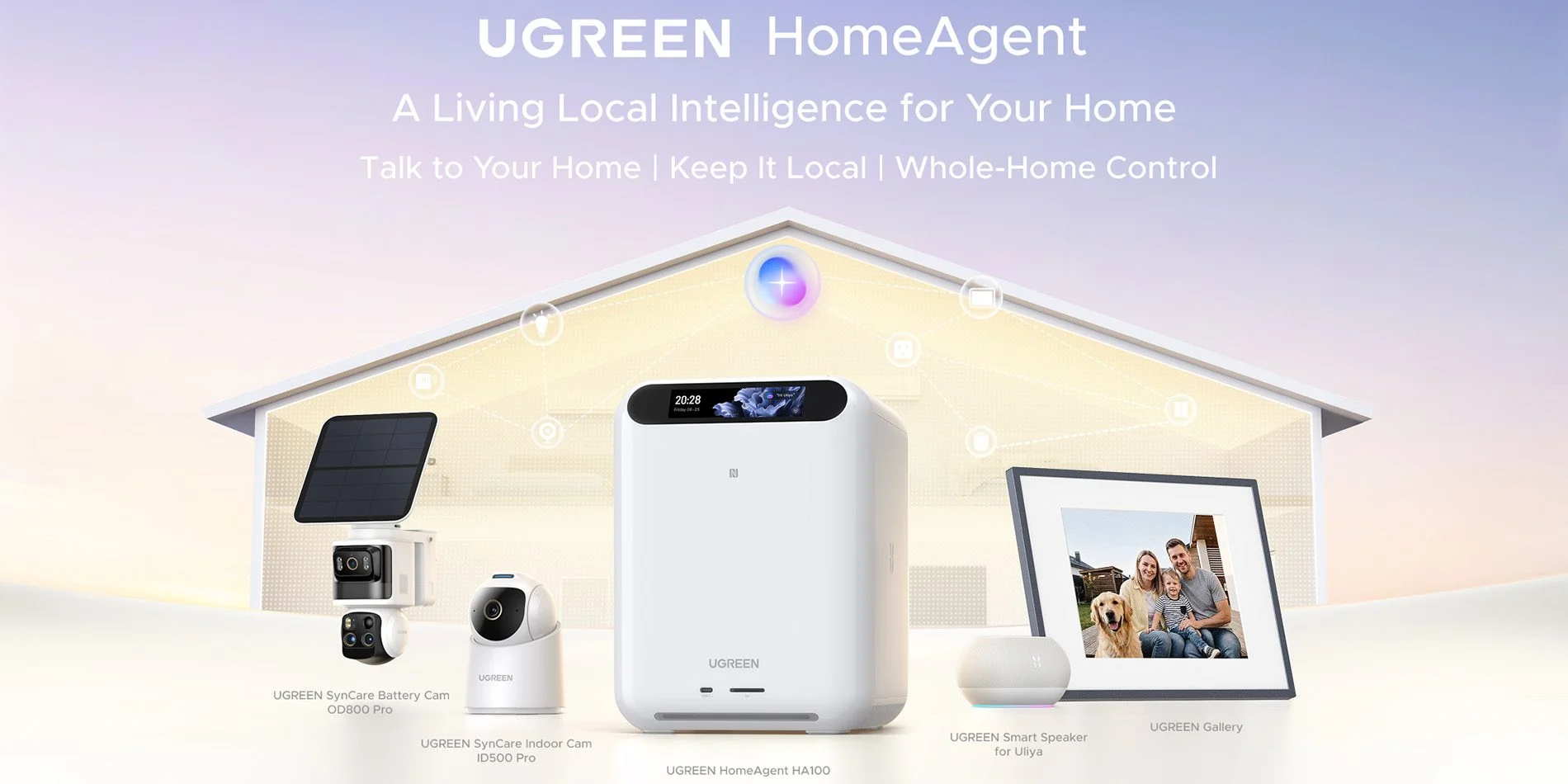
Most smart home systems send your footage and voice commands to a remote server, then charge you monthly to see what the cloud made of them. UGREEN's HomeAgent lineup takes the opposite approach. The hub stores recordings and runs its AI on the hardware in your house, and UGREEN says there's no monthly fee to store or access that data. That's a meaningful claim, and it's the reason this lineup deserves more attention than another gadget roundup. Whether the design holds up in daily use is a separate question, and it's the one I'd spend the most time on.
A hub that does the thinking
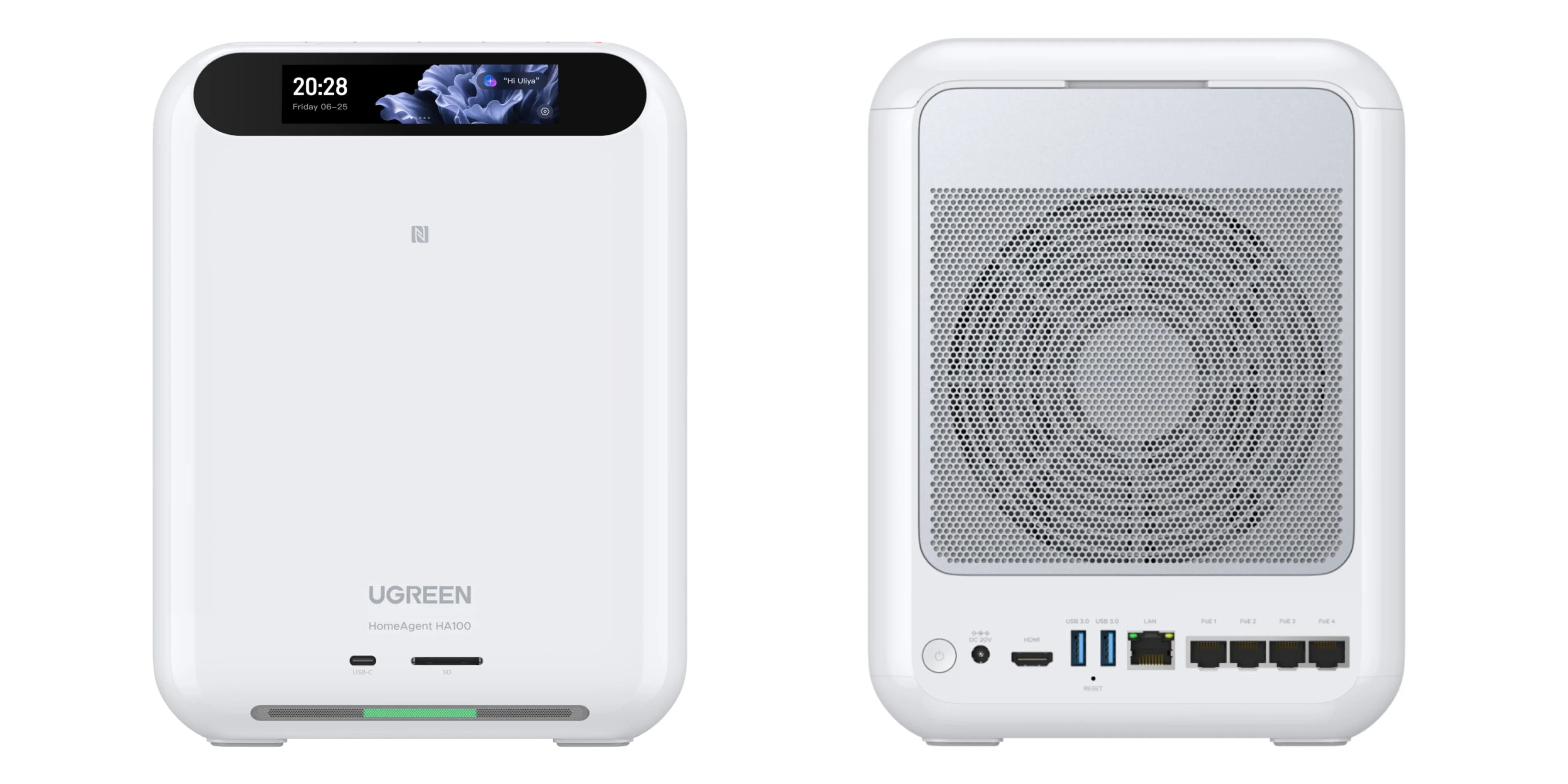
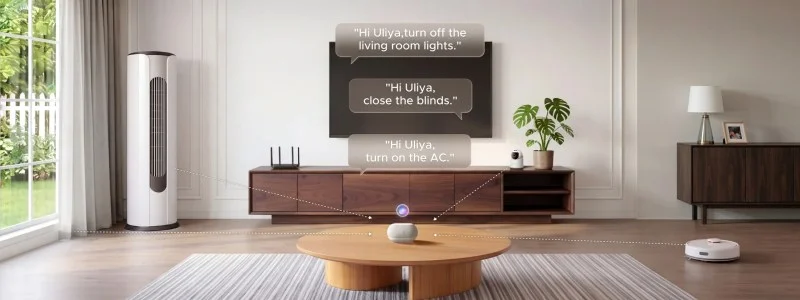
The HA100 and its Pro version anchor UGREEN's AIoT ecosystem. They pair with lights, speakers, and cameras, record footage, and process that data locally. The practical payoff shows up in the assistant, Uliya. You can ask it "is there a package outside" or "where is my dog," and it searches through camera recordings for the answer. You don't have to scrub through timelines yourself. Anyone who's spent a weekend clicking through hours of motion alerts knows how tedious that work gets. Most of the real cost of owning a camera is the time you spend reviewing it, so if a search feature actually cuts that time down, it's the most useful idea in the lineup.
You can talk to Uliya through the HA100 directly or through UGREEN's own Smart Speaker for Uliya. Simple requests like dimming lights or playing music work as you'd expect. Voice control has been a smart home staple for years, and early versions were mostly timers with a microphone attached. The video search is the part worth paying attention to. A speaker that answers "turn off the kitchen lights" is table stakes now, while one that answers a question about last Tuesday's footage is a different kind of tool.
The HA100 also doubles as network storage for photos and household files. That material can feed the local AI as context, so the assistant learns more about your home without any of it leaving the building. This is where a local-first design earns its keep. (And this is the part most people overlook.) Family photos are often more personal than camera footage, and they tend to sit in cloud accounts that nobody reads the terms for. Keeping them on a box in the closet changes who can see them, at least in theory. Whether the assistant gets noticeably smarter from that context is the kind of claim I'd test before believing.
Cameras built around local recording
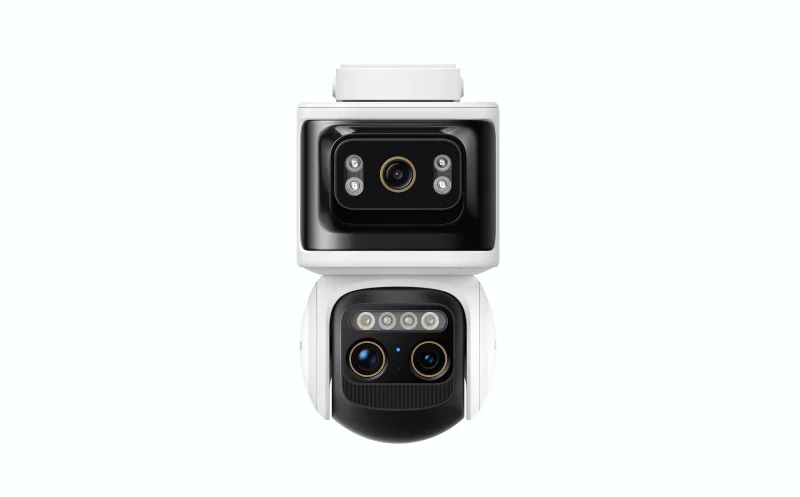
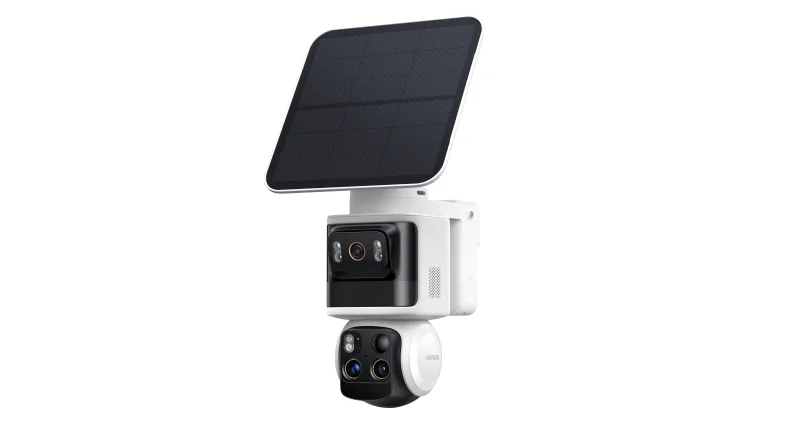
Local recording only matters if the cameras capture useful footage, and UGREEN's SynCare lineup is built around that idea. A smart hub paired with a sloppy camera is a clever assistant with nothing good to say. The SynCare OD800 Pro is a triple-lens outdoor camera with solar power and a built-in battery. The OD600 Pro offers the same camera setup but runs on power over Ethernet. Both pair an 8MP primary lens with dual 5MP pan-tilt-zoom cameras. They zoom up to 9x, track motion, include a built-in spotlight, offer color night vision, and carry IP66 dust and water protection. Splitting the job across lenses is a sensible design: one wide view for context, and two movable units for chasing detail. The real choice is power. Solar and battery power let you mount a camera where no outlet reaches, but you'll be managing charge and sun exposure. Ethernet is generally more dependable, provided you've already run the cable.
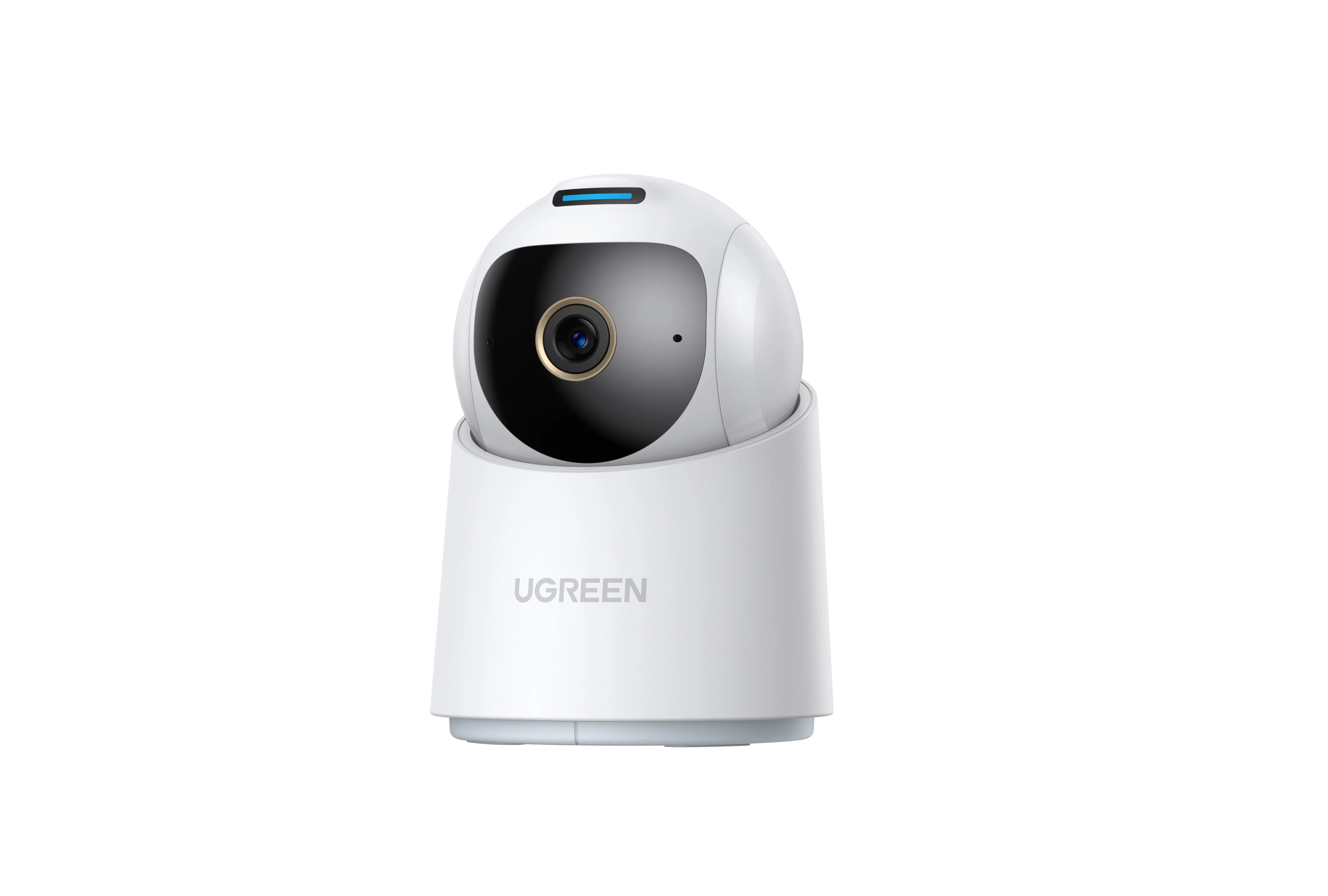
Indoors, the SynCare Indoor Cam ID500 Pro covers an entire room. It offers 4K imaging, 360-degree pan, and 160-degree vertical tilt, plus up to 8x digital zoom, motion tracking, and baby-cry detection. Digital zoom just crops and enlarges pixels, so that 8x figure deserves some skepticism until you see the footage yourself. A physical shutter covers the lens when you want privacy. It's a small detail, but it's the kind of thing you notice when a camera lives in a nursery or bedroom. Baby-cry detection sounds niche until you need it at the wrong hour. And that said, a physical shutter should be the baseline for any indoor camera, not a feature you have to hunt for.
Frames, a speaker, and Matter support
Two smart frames round out the hardware. The Gallery E-Paper Smart Frame mounts on the wall and shows photos and artwork. The Gallery LCD Smart Frame can sit on a table or hang on the wall, shows photos and videos, and ties into the rest of the smart home. Smart frames are an odd corner of this category. E-paper generally refreshes slowly but holds an image with very little power, which suits static art. LCD panels handle video better but need more juice. Which one you'd pick depends on whether you want a quiet piece of decor or a screen that moves.
UGREEN also makes a smart speaker for the system. Beyond its own gear, the ecosystem supports select Matter devices, including smart lighting and robot vacuums. That Matter support is the detail I'd watch, because it keeps the hub from being a closed box. Matter is a shared standard meant to let devices from different brands work together, and support for it is often the difference between a walled garden and a platform. The word "select" is doing a lot of work in that sentence, though. Until you see the full compatibility list, treat Matter support as a promise to verify, not a checkmark.

Pricing and timeline
The ecosystem starts at $799 for a limited time when the Kickstarter campaign launches on April 13, 2027. Limited time, though. Upgraded packages raise AI processing power and storage and expand the number of devices you can connect. Reservations open September 4, 2026, and run through April 12, 2027. Deposits can be canceled for a refund any time before the campaign ends, which is the reassuring part of the schedule. Shipping begins in late June 2027, with phases that vary by product.
Those dates say something about the model. Reservations run for months before the campaign goes live, and shipping lands well after it closes. That gap is common with crowdfunded hardware, and it's where most buyers' questions will sit. If you're planning around a specific camera install, read "phases that vary by product" twice before committing.
The bet here is that buyers will pay upfront for hardware that keeps footage at home instead of renting cloud features by the month. It's a familiar trade for anyone who has bought a router or a home storage box, but it's a harder sell to people used to paying little or nothing up front for cloud services. Whether the video search holds up on messy real-world recordings is the question I'd want answered in a hands-on test. Rain, backlight, and a dog that won't hold still are where the demo ends and the product begins.
What this means if you're buying in
If you're weighing this against a subscription camera system, the math shifts in a specific way. You trade an ongoing monthly bill for a larger upfront cost and the job of keeping a hub running. That's a reasonable deal for many households, but it isn't free. Local storage means the hub's hardware, its power supply, and its backups are now your problem. Cloud providers handle those chores behind the scenes, and here you inherit them.
The privacy argument is stronger than the convenience argument, and I'd lead with it. Keeping footage local reduces how many companies touch your recordings, which matters if you've ever read a cloud provider's data policy and felt uneasy. Still, local doesn't mean private by default. Your network security, your passwords, and your firmware updates still decide who gets in. Here's the thing: a box that never talks to the cloud is only as safe as the network it sits on.
For the broader category, this is a pointed challenge to the subscription model. If local AI works well enough that buyers accept it, other vendors will feel pressure to offer similar options or justify their monthly fees. My guess is that the market splits rather than switching over cleanly. The cloud still has real advantages, including updates and processing power that a single household box can't match, and plenty of people will keep choosing that convenience.
What to watch next
Three things will tell you whether this lineup earns its place. First, does the video search find things reliably in poor light, bad weather, and cluttered scenes? Second, does the Matter list grow beyond the initial select devices, and does it cover gear people already own? Third, does UGREEN ship on the schedule it has given, with the phased rollout it has described?
Until those answers show up, treat the pitch as a strong thesis rather than a proven product. If you're working in this space, whether as a reviewer, installer, or buyer, the useful move is to test the search feature against your own footage. What this means for you depends on how much time you spend reviewing clips today. If the answer is a lot, this hub deserves a serious look. If you rarely check your cameras, the local storage argument is the stronger reason to care.