Asus ROG Rapture GT-BN98 Pro Review: A Fast, Feature-Packed Wi-Fi 8 Router
|
5 min read
A Wi-Fi 8 preview with an early-adopter price
Wi-Fi 8 still isn’t finalized, and compatible devices haven’t reached the market. Yet Asus’s ROG Rapture GT-BN98 Pro offers a preview of what the next wireless standard might bring. I tested the company’s first quad-band Wi-Fi 8 gaming router using the latest draft specification; Asus says it will be updated as certification nears. To try its Wi-Fi 8 features, I linked two of the routers together. After a couple of weeks, the verdict is strong but qualified: the GT-BN98 Pro is fast, reliable, far-reaching, and packed with extras, including a year of [NordVPN](https://www.wired.com/review/nordvpn-review-2025/) service. Its firmware also behaved better than the first-generation Wi-Fi 7 Asus systems I tested, which needed several updates to settle down. Still, most people have little reason to buy into Wi-Fi 8 now, especially at $900. That’s a steep price for a standard still in draft form. The router earns an 8/10. It has plenty of multi-gig ports, useful gaming features, and no subscription requirement. Its size is a real drawback, and Wi-Fi 8 remains unfinished. If you’re considering it, the appeal is a glimpse of the future; the cost is paying early for a future that hasn’t arrived yet.Built to stand out—and take up space
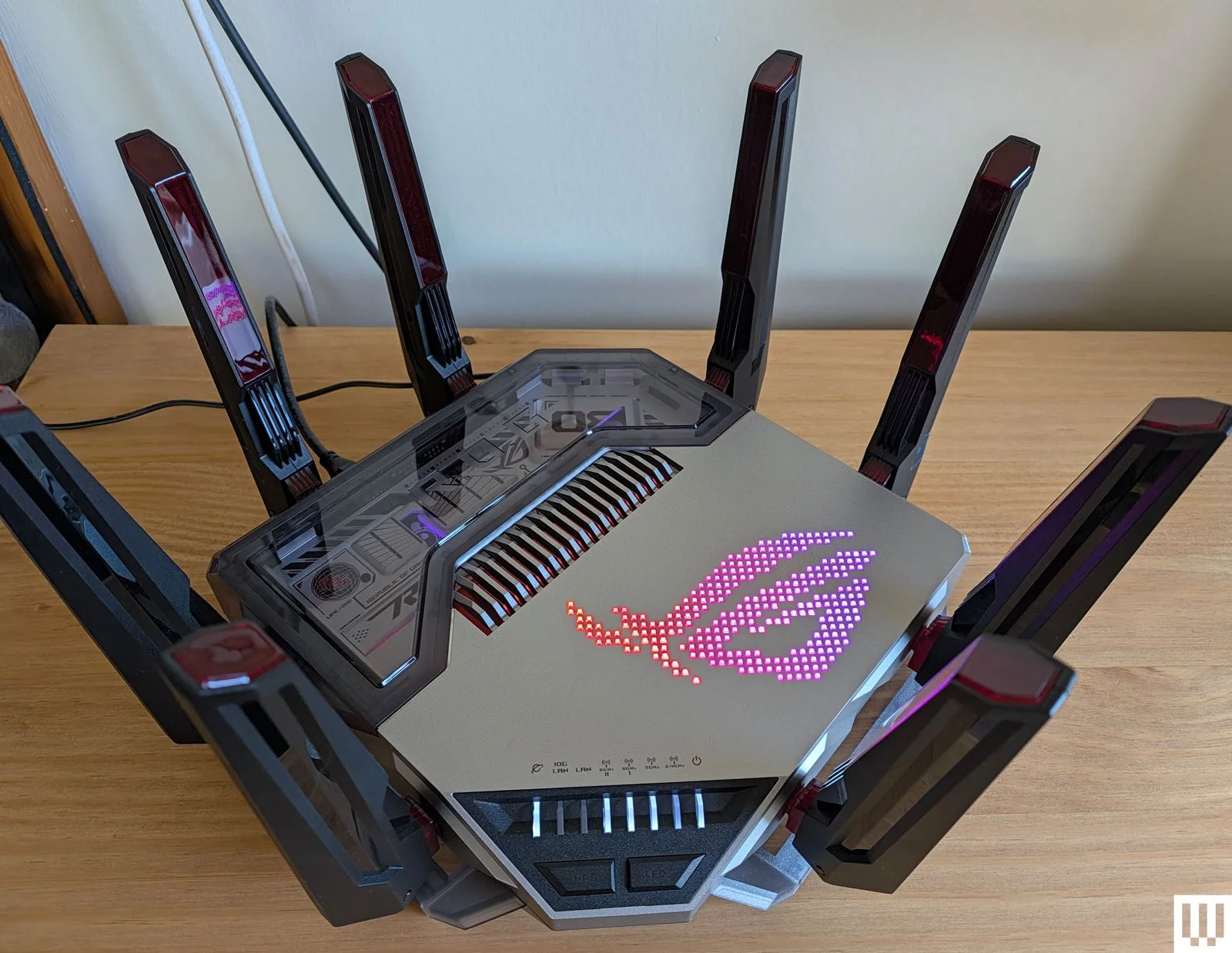
At roughly 14 inches square and 9 inches tall with its antennas raised, the GT-BN98 Pro is hard to tuck away. Eight antennas adjust, but they’re fixed to the router, and the whole thing resembles an oversized mechanical spider. It won’t blend into a room. Asus does give it some visual flair: a translucent panel reveals internal components, while the large Aura RGB ROG logo offers seven lighting effects. It looks striking. It’s also enormous.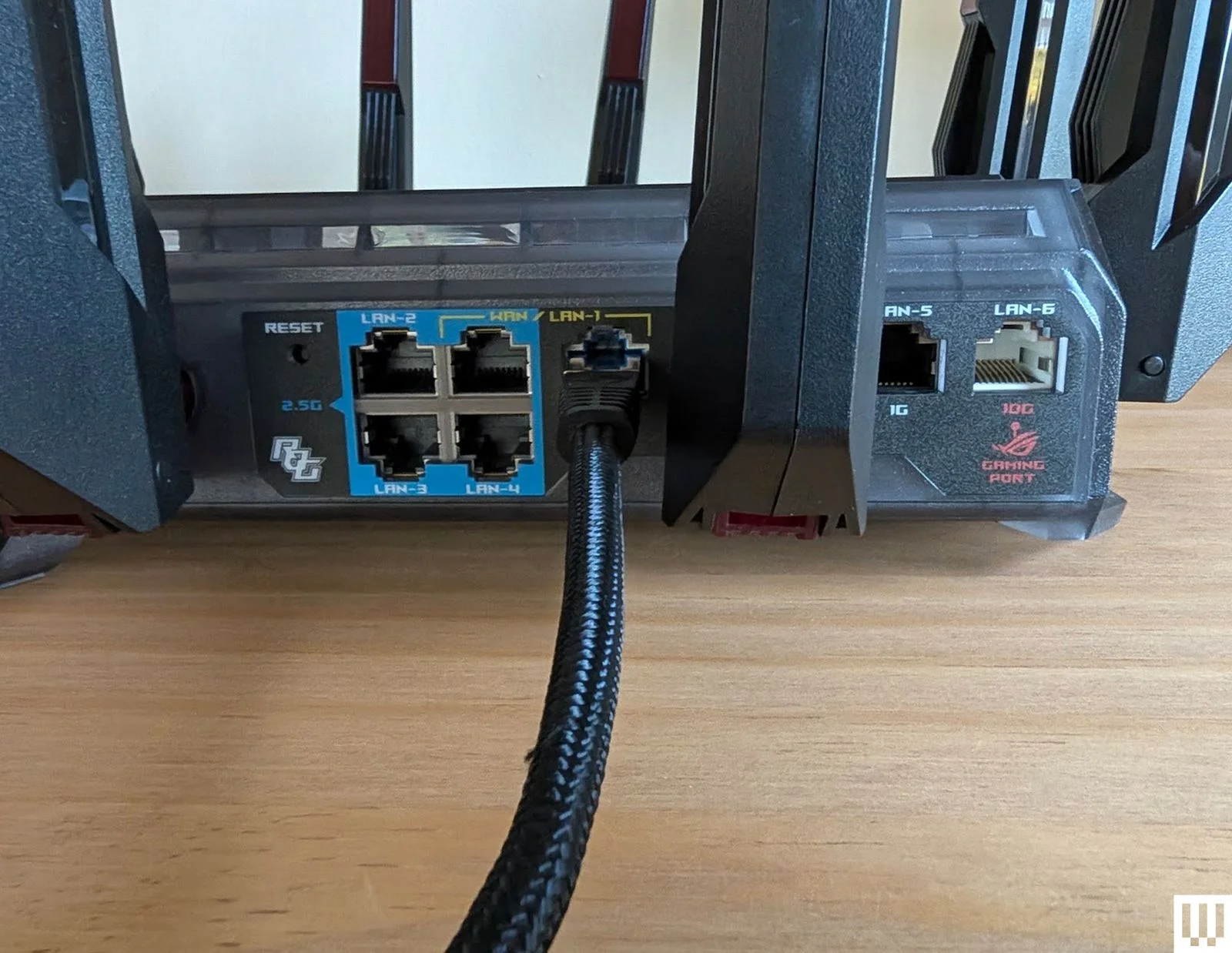
Speed, cooling, and connections
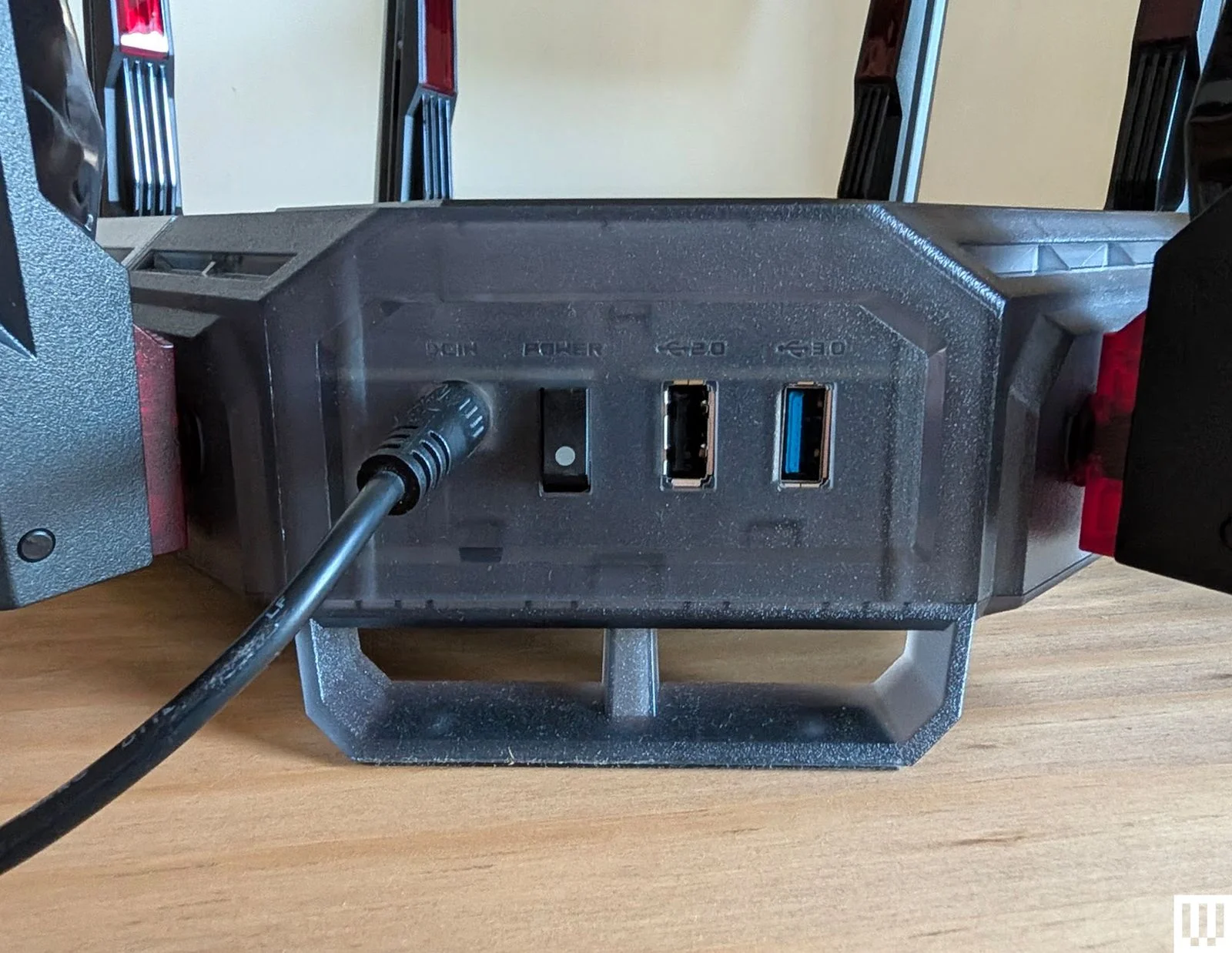
The GT-BN98 Pro’s size has a practical payoff: extensive heatsinks and airflow channels keep it cool and quiet without a fan. During a month of testing, it stayed silent and cool to the touch. Its ports are unusually generous: a 10 Gbps WAN/LAN port, a separate 10 Gbps LAN port, four 2.5 Gbps ports (one configurable as WAN/LAN), a 1 Gbps LAN port, USB 3.2 Gen 1, and USB 2.0. The two 10 Gbps ports can also be aggregated into a 20 Gbps connection. At its core is Broadcom’s BCM 6718 Wi-Fi chip, paired with a 2.6 GHz quad-core processor, 256 MB of Flash, and 2 GB of DDR4 RAM. The quad-band design combines 2.4 and 5 GHz with two 6 GHz bands. Each band uses a 4 x 4 configuration with OFDMA, 4096-QAM, and maximum-width channels. The theoretical ceilings are 1.3 Gbps on 2.4 GHz, 5.6 Gbps on 5 GHz, and 11.5 Gbps on each 6 GHz band. Those numbers are a long way from what most devices will see, but they put the hardware firmly in the high end. For a plain-English guide to the terminology, see WIRED’s router buying guide.Range and real-world performance
The headline speeds won’t show up in ordinary use. Still, performance is strong: expect up to 3 Gbps in the same room and about 1 Gbps through a wall. In testing, the signal reached the bottom of a thick-walled old home’s garden at 350 Mbps. Against the tri-band Wi-Fi 7 Asus RT-BE96U, WIRED’s upgrade pick in its best Wi-Fi routers guide, the GT-BN98 Pro was slightly faster at every distance and held on to a signal farther away across all bands. Its second 6 GHz band also gives AiMesh users an extra option for wireless backhaul when building a mesh with another Asus router. Multi-Link Operation (MLO), which lets devices use multiple bands at once, appears to have improved since its buggy early days in Wi-Fi 7. It delivered nearly 5 Gbps at close range in testing, though that result used a second GT-BN98 Pro as the client. Most Wi-Fi 8 devices, when they arrive, won’t be able to match that setup. Automated Frequency Coordination (AFC) could extend 6 GHz range by checking nearby licensed services and allowing the router to raise its power where permitted. It’s available in the US and expected in the UK soon, but the reviewer couldn’t test it, and availability depends on local rules and licensees. The promise is real; the performance benefit remains unmeasured here. Wi-Fi 8’s bigger pitch is reliability, not raw speed. Its features are meant to manage local interference and reduce latency for demanding uses such as gaming. The router also offers adaptive Quality of Experience and device optimization, identifying gaming devices and streams to give them priority. That showed up in a busy household: two gaming PCs, a MacBook, and a PS5 were used at the same time without trouble. Game Boost uses AI to target stable connections and low latency for game streams; GTNet aims to reduce ping and packet loss by optimizing server connections, and there’s a separate mobile gaming mode. Your broadband connection and the game’s servers still set limits. The router can only improve the part you control at home.Features and stability
Asus’s strongest argument is the amount of software it includes without a subscription. The company is a regular pick for routers and mesh systems, in part because its package includes security tools, parental controls, VPN support, traffic monitoring, and a traffic analyzer. Buyers can also redeem a year of NordVPN service with the router.