Prepersonalization: How to Prepare Teams for Successful Personalization Programs
Personalization programs rarely fail because a team lacks ideas. They falter when nobody has agreed on what to build, why it matters, or whether the organization can support it. That preparation is the work we call prepersonalization.
Maybe you’ve joined a team building automated or AI powered features. Maybe your company has installed a personalization engine. Either way, the moment you start designing with data, you face a gap between possibility and practice. Guides to designing for personalization are scarce, and success rarely arrives overnight.
The risks are easy to picture. A system can repeatedly urge ordinary customers to buy more toilet seats, the kind of mishap people call a “persofail.” It’s tempting to swing between expecting personalization to get everything right and fearing it will go badly wrong. For digital teams, that uncertainty can feel like setting out without a map.
There’s no Lonely Planet for this work. Effective personalization depends on each organization’s people, technology, and position in its market, so a guide that fits one company may not fit another. You can still prepare your team to make better choices.

Prepersonalization is a do it yourself way to improve your odds. At the very least, it can temper a manager’s irrational enthusiasm before the team commits to a program. The point is to do the groundwork before the launch party.
Behind the music
Spotify’s DJ feature, which debuted this past year, is a useful example of what audiences usually see: the finished experience.
By the time Spotify received a year end award, published the design story, or shared how the AI DJ works, the feature had already passed through the less visible stages: conception, budgeting, and prioritization. Before launch, every idea competes with other worthy ways to make a customer experience more responsive.
That’s where teams need to place their bets. How do you choose the right opportunities, then design interactions that feel coherent rather than unsettling? In our experience, many programs need workshops early on to bring together the stakeholders and internal customers who’ll help justify continued investment. Those sessions should do real work.
We’ve seen the same pattern among clients ranging from Big Tech companies to startups. A program’s record depends in part on whether the team can face hard questions, agree on shared answers, and coordinate its design and technology work. Well run workshops have repeatedly helped distinguish promising efforts from unsuccessful ones, while saving time, resources, and the people’s energy.
Personalization is a multiyear practice of testing and feature development. It doesn’t appear when someone flips a switch in the technology stack. A useful backlog often advances through three stages:
- Customer experience optimization, or CXO: A/B testing and experimentation.
- Always on automation, driven by rules or machine generated decisions.
- Mature features or standalone products, such as Spotify’s DJ experience.
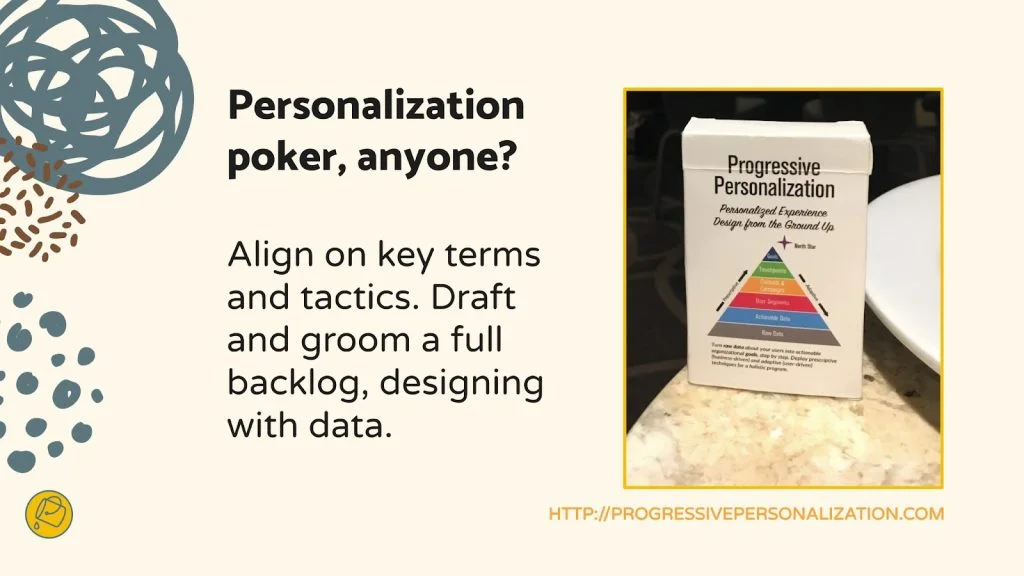
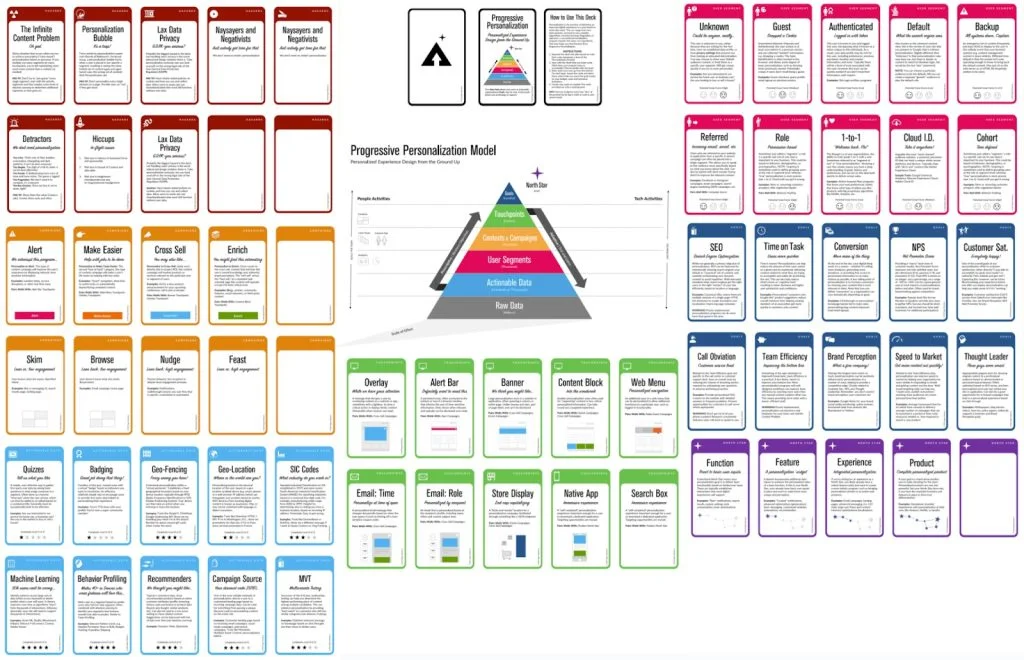
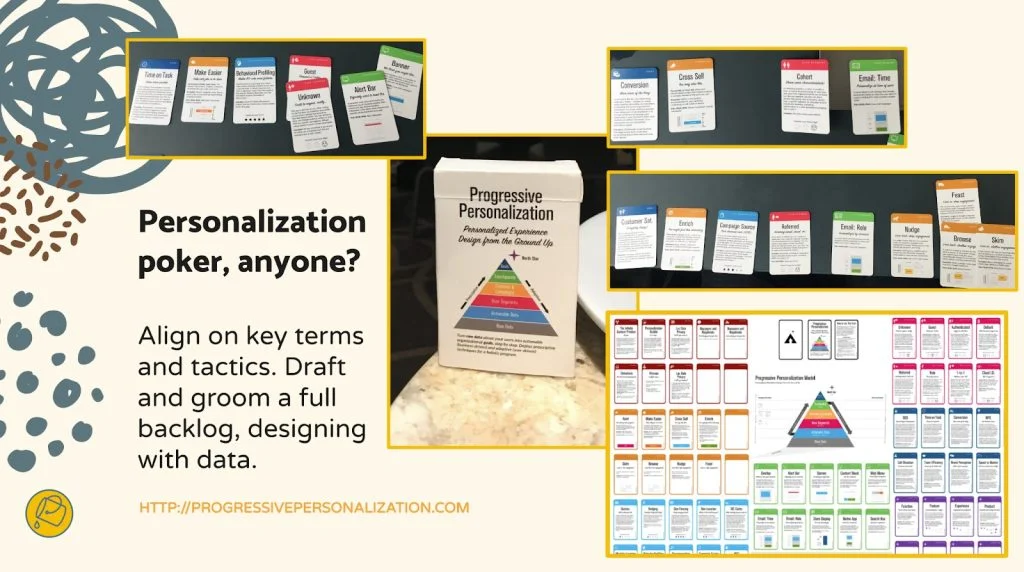
We developed a progressive personalization framework and are field testing an accompanying deck of cards because we believe teams need a shared vocabulary. There’s a basic grammar, a set of “nouns and verbs,” for designing customized, personalized, and automated experiences. You don’t need our cards. You do need some equivalent way, digital or physical, to make the work legible to the people involved.
Set your kitchen timer
The assessment around a prepersonalization workshop can take weeks. The core workshop itself should run for two to three days. Here’s the broad sequence, followed by the first day’s essential work.
The workshop has three phases:
- Kickstart: Agree on the opportunity, the terms of engagement, and the readiness and commitment of the team and its leaders.
- Plan your work: Use the card based activities to define the scope and plan the work.
- Work your plan: Create a competitive setting where participants pitch pilots, each with a proof of concept, business case, and operating model.
Set aside at least one day for a focused version of the first two phases, divided into two substantial work blocks.
Kickstart: Whet your appetite
Start by mapping what we call the “landscape of connected experience.” Here, a connected experience means any user experience that depends on multiple backend systems working together. A content management system paired with a marketing automation platform is one example; a digital asset manager paired with a customer data platform is another.
Get the discussion moving with consumer and business to business examples. Ask people to name interactions they admire, recognize, or dislike. Include a representative range of patterns: automated app experiences such as onboarding flows and wizards, notifications, and recommendation tools. Our card deck includes examples, and this catalog of 142 different interactions can help the team generate ideas.
The goal is to surface possible paths for personalization in your organization. For a wider view, consult this long form primer and this strategic framework.
Then size the ideas. For each example, estimate its complexity and the effort your team would need to build it or something similar. Our cards group connected experiences into five levels: functions, features, experiences, complete products, and portfolios. This gives the team a way to compare what it can deliver now with what it hopes to deliver later—and to discuss whether the investment makes sense.
Next, plot each idea on a two by two grid covering four lasting arguments for personalization. The grid matters because the benefits can reach beyond external customers to change how the organization works. It also makes clear that the program involves more than a series of isolated features.

Have every team member vote on where the product or service should focus. You can’t give every priority equal weight, and different departments may see different benefits. Recording the outcomes the team wants makes those differences visible and shows where people across functions agree.
Finally, name the personalization gap: the distance between the current state and the team’s ambitions. Is the customer journey documented? Could data privacy requirements become a major obstacle? Does the content need better metadata? It probably does; the question is how large the problem is and what it will take to address it. Our cards identify program risks, including common team behaviors. The Detractor card, for instance, describes six stakeholder behaviors that can impede progress.
Get participants to name the barriers they expect to encounter and specific steps the organization could take to reduce them. Clear collaboration and managed expectations matter here. Research has found recurring obstacles to personalization programs, including too few dedicated staff, an unclear roadmap, and weak coordination across functions.

If the team has discussed example interactions, chosen an area of expected benefit, and identified its biggest gaps, it has completed the kickstart.
Hit that test kitchen
Personalization engines can overwhelm new customers. These software suites can automate and deliver dynamic content, but their wide range of capabilities leaves a practical question: where should a team start when configuring a connected experience?
Think of the installed software as a test kitchen, not a dream kitchen from a fantasy renovation. That was how one client executive put it. The team uses the platform to devise, try, and refine the small experiences that will eventually become part of an evolving program.

The workshop is where the team assembles and prioritizes its backlog. Individual stakeholders can then shape “dishes”—personalized interactions that meet their needs or someone else’s. Each dish starts with a recipe, and each recipe has ingredients.
Verify your ingredients
A product manager should check that the team has what it needs to deliver an interaction—and involve the right stakeholders in that check. The ingredients include the audience, content and design, the context in which the interaction appears, and the measure of whether it works. If something is missing, the team should identify what it needs to add.
Write each personalization idea as a sequence of if then statements. That turns vague requirements into something teams can compare and act on. It helps them:
- Compare their findings and develop features from a shared approach, much as artists work from the same palette.
- Create interactions that feel consistent and familiar to users.
- Align performance measures and key performance indicators.
That shared palette can simplify both design and technical work, while giving the team a common set of patterns for personalized and automated experiences.
Build personalization recipes around real user needs
Personalization works best when a team can explain who it serves, what it delivers, when it appears, and why it helps. That simple framework gives a workshop a practical starting point. The five Ws are useful here: define the audience, the content and design, the circumstances that trigger it, and the user and business benefits.
We developed these cards and card categories five years ago and have continued testing them with conference audiences and clients. New possibilities keep surfacing, but the underlying logic holds. For a subscription reading app, three examples show how it works:
- Nurture: When an unfamiliar visitor engages with a book title, show a banner or alert that points them to related reading. The goal is to help them find something relevant with less effort.
- Welcome: After someone registers, send an email that introduces the range of the catalog and helps them get more from their subscription.
- Winback: Before a subscription expires, or after a renewal fails, send an email with a promotional offer or a reminder to renew.

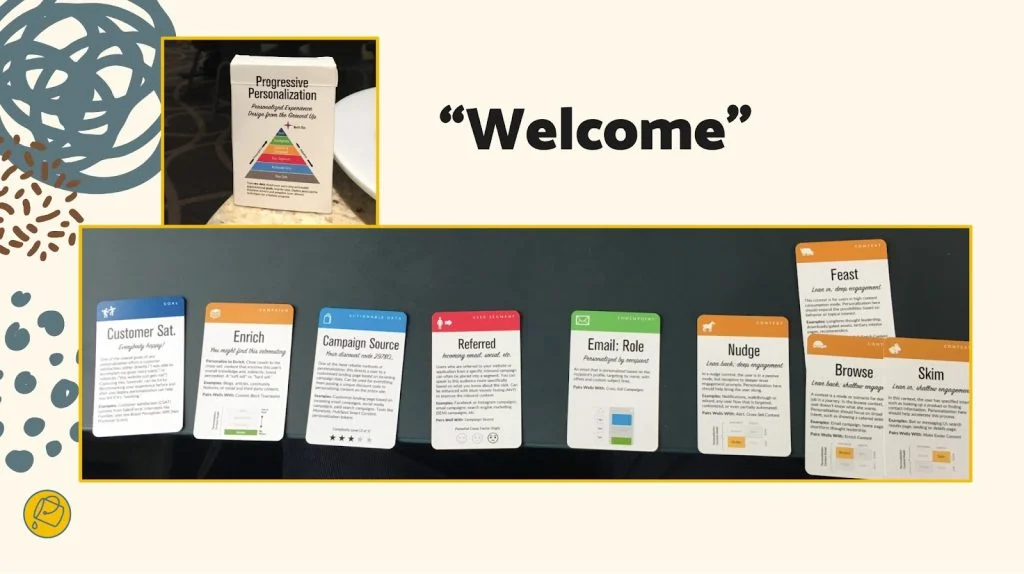

You can draft cards before a workshop, but teams may get more from creating them together. Start with blank cards; label and group ideas as the discussion develops, then narrow them to a useful set of candidates. In later stages, the work shifts from recipes to a cookbook: a more detailed view of the customer journey. Team members pitch each recipe using a shared jobs-to-be-done format, tying the idea to measurable results. The team can then prioritize what to design and ship.
Good personalization depends on good information architecture
Making an experience feel simple can demand complicated work from the people building it. Anyone promising an easy fix is skipping part of the problem. Still, complicated problems can be tackled with clear rules and recipes, as MIT Sloan Management Review argues.
When personalization becomes a punchline, a team may be overfitting: building around weak or poorly chosen data. Metadata debt compounds technical debt, leaving the system with too little structure to make useful decisions. That matters for AI, too. Output quality depends in part on the organization’s information architecture. Spotify’s recommendation reputation would have been hard to imagine before its acquisition of the seemingly modest metadata startup The Echo Nest, whose work became part of Spotify’s underlying information architecture.
Start in the test kitchen
Personalization tools open up more design possibilities than any team can pursue. The discipline is choosing what deserves a trial. A collaborative workshop helps teams test ideas with the people responsible for delivering them, saving time and reducing the risk of polished plans that don’t fit the work on the ground. There are real needs to serve; the dream kitchen can wait.
This framework can give a team a sound starting point for lasting work, but the information layer takes time to build. A shared cookbook and a set of agreed recipes give people common ground while they make those improvements. The point is to surface organizational needs early, before the risks and costs mount.
Personalization technology and product design require investment. So does understanding your organization’s capabilities and constraints. That assessment is time well spent. The recipes won’t guarantee success, but they can help a team find out what works before committing to a full production run.